You don’t always need a gimbal to create cinematic-looking video. While a gimbal can provide smooth camera movement, handheld shooting can produce natural, intimate, and professional-looking footage when you understand how to control your camera.
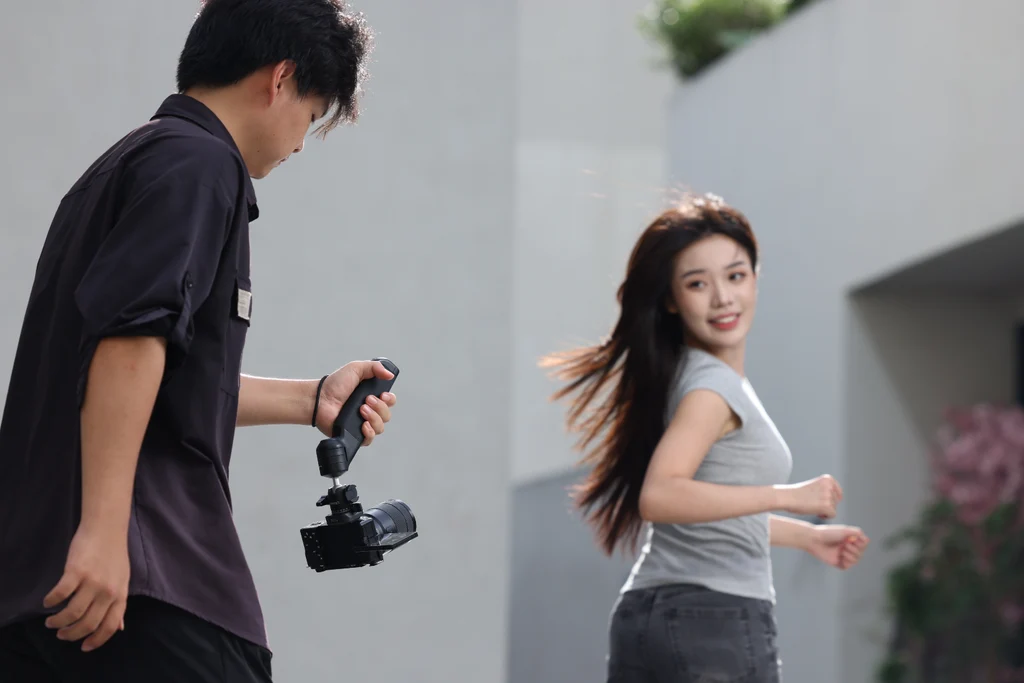
Handheld video is especially useful for weddings, events, behind-the-scenes content, documentaries, social media videos, and situations where you need to move quickly.
The key is to control your body, camera settings, movement, and framing instead of simply pointing the camera and walking around.
Understand What Makes Handheld Footage Look Good
Smooth Movement Is More Important Than Expensive Gear
Cinematic handheld footage doesn’t necessarily mean eliminating every small movement.
A small amount of natural movement can make footage feel more connected to the scene. The problem is excessive shaking, sudden movements, and uncontrolled camera motion.
Your goal should be to make your movements intentional.
Keep Your Camera Movement Simple
Instead of constantly moving the camera in different directions, concentrate on simple movements such as the following:
- Slow push-ins
- Pull-outs
- Sideways movements
- Controlled tracking
- Small tilts
- Static handheld shots
Simple movements are often easier to control and can look more professional.
Hold the Camera Properly
Use Both Hands
Holding your camera with one hand can make small movements much more noticeable.
Use both hands whenever possible. Keep one hand supporting the lens or camera body while the other operates the controls.
This gives you greater stability and control.
Keep Your Arms Close to Your Body
Avoid holding the camera far away from your body.
Keeping your elbows closer to your torso creates additional support and reduces unnecessary movement.
Your body effectively becomes part of the camera support system.
Improve Your Walking Technique
Bend Your Knees Slightly
When walking while recording, avoid taking stiff, straight-legged steps.
Keep your knees slightly bent and take controlled steps. This can reduce the vertical movement that appears in handheld footage.
Walk Slowly and Deliberately
Fast walking usually produces more noticeable camera movement.
Take smaller steps and maintain a steady pace. If you need to move quickly, consider recording shorter clips rather than trying to create one long, perfectly smooth shot.
Practice the “ninja walk.”
A common technique for smoother handheld movement is to walk with slightly bent knees and place your feet carefully, almost as though you’re trying not to disturb someone nearby.
The technique takes practice, but it can significantly reduce unwanted movement.
Choose the Right Lens
Wider Lenses Can Make Movement Look Smoother
A wider focal length generally makes small camera movements less noticeable than a longer focal length.
This is one reason wide and moderately wide lenses are often useful for handheld video.
Longer Lenses Require More Stability
Telephoto lenses magnify movement, so even small shakes can become obvious.
If you’re using a longer lens handheld, pay extra attention to your grip, posture, and movement.
Use the Right Shutter Speed
Follow a Consistent Shutter Speed
For video, shutter speed is usually chosen based partly on your recording frame rate.
A commonly used starting point is to set your shutter speed around twice your frame rate.
For example, when recording at 25 frames per second, around 1/50 second is a common starting point.
This can produce natural-looking motion blur.
Don’t Use Shutter Speed to Fix Camera Shake
Increasing shutter speed can make individual frames look sharper, but it doesn’t necessarily make handheld movement smoother.
If you use an extremely fast shutter speed, movement can instead appear harsh or stuttery.
Focus on physical camera stability first.
Use Image Stabilization When Available
Camera Stabilization Can Help
Some cameras and lenses include optical or sensor-based stabilization.
When available, stabilization can reduce certain types of handheld movement.
However, stabilization is not a replacement for good technique.
Test Stabilization Before an Important Shoot
Different cameras and lenses handle stabilization differently.
Some stabilization systems can introduce unusual movement or warping when combined with certain shooting techniques.
Test your setup before an important event so you know how it behaves.
Keep Your Subject Properly Framed
Avoid Constant Reframing
One mistake beginners make is constantly moving the camera to keep the subject in the center.
This can make footage feel nervous and uncontrolled.
Instead, anticipate where your subject is going and position yourself accordingly.
Leave Space for Movement
If someone is walking toward the right side of the frame, leaving some space in front of them can make the composition feel more natural.
Think about where the subject is moving rather than simply keeping them centered at all times.
Use Controlled Camera Movements
Try a Slow Push-In
Start with the camera relatively still and slowly move toward your subject.
Keep your movement consistent and avoid sudden changes in speed.
This can work well for emotional moments, details, and establishing shots.
Try a Sideways Tracking Shot
Move alongside your subject while maintaining a consistent distance.
This works particularly well for wedding entrances, walking shots, and lifestyle footage.
Use static handheld shots.
Not every cinematic shot needs camera movement.
Sometimes the best approach is simply to stand still and hold the camera as steadily as possible.
A well-composed static shot can provide a useful break between moving shots.
Use Objects for Extra Stability
Lean Against a Solid Surface
When appropriate, use walls, pillars, tables, or other stable objects to support your body.
This can make a handheld shot considerably steadier.
Use a camera strap.
A properly adjusted camera strap can sometimes provide additional tension and stability.
You can create gentle resistance between the camera and strap while maintaining a comfortable shooting position.
Think About Your Framing
Composition Still Matters
Smooth footage doesn’t automatically make a shot cinematic.
Pay attention to composition, background, lighting, subject placement, and depth.
A shaky but beautifully composed shot can sometimes be more interesting than a perfectly stabilized shot with poor composition.
Use Foreground Elements
Objects in the foreground can add depth to handheld shots.
For example, you might shoot through flowers, curtains, doorways, or other objects to create layers within the frame.
Avoid Excessive Digital Stabilization
Stabilization Software Can Help With Minor Shake
Editing software can sometimes stabilize footage after recording.
This can be useful when a clip contains small amounts of unwanted movement.
However, stabilization can crop the image and may create strange distortions when the original footage is extremely shaky.
Get the Shot Right in Camera
Software should be treated as a backup rather than the main solution.
Better camera technique usually produces a more natural result than trying to repair heavily shaky footage during editing.
Record Shorter Clips
Don’t Force Yourself to Hold Every Shot for Too Long
The longer you hold a moving handheld shot, the more difficult it becomes to maintain consistency.
For event and wedding videos, capturing several short, controlled clips can give you more editing options.
Hold Static Shots for Several Seconds
When you find a good composition, resist the urge to immediately move the camera.
Hold the shot steady for a few seconds before and after the important moment. This gives you more flexibility during editing.
Add Cinematic Movement During Editing
Don’t Rely Entirely on Camera Movement
You can create a cinematic sequence through editing as well.
Combine different types of shots, such as:
- Wide establishing shots
- Medium shots
- Close-ups
- Detail shots
- Movement shots
- Static shots
This creates visual variety without requiring every shot to involve complicated camera movement.
Match the Direction of Movement
If one clip shows a subject moving from left to right, consider maintaining a similar direction in the following shot when appropriate.
Consistent movement can make cuts feel smoother.
Final Thoughts
Creating cinematic handheld video is more about technique than expensive equipment.
Hold your camera securely, keep your movements controlled, walk carefully, choose an appropriate lens, use sensible camera settings, and pay close attention to composition.
A gimbal can certainly make certain movements easier, but you can still create professional-looking footage without one.
The more you practice handheld shooting, the better you’ll become at controlling your camera and knowing when a little natural movement actually improves the shot.