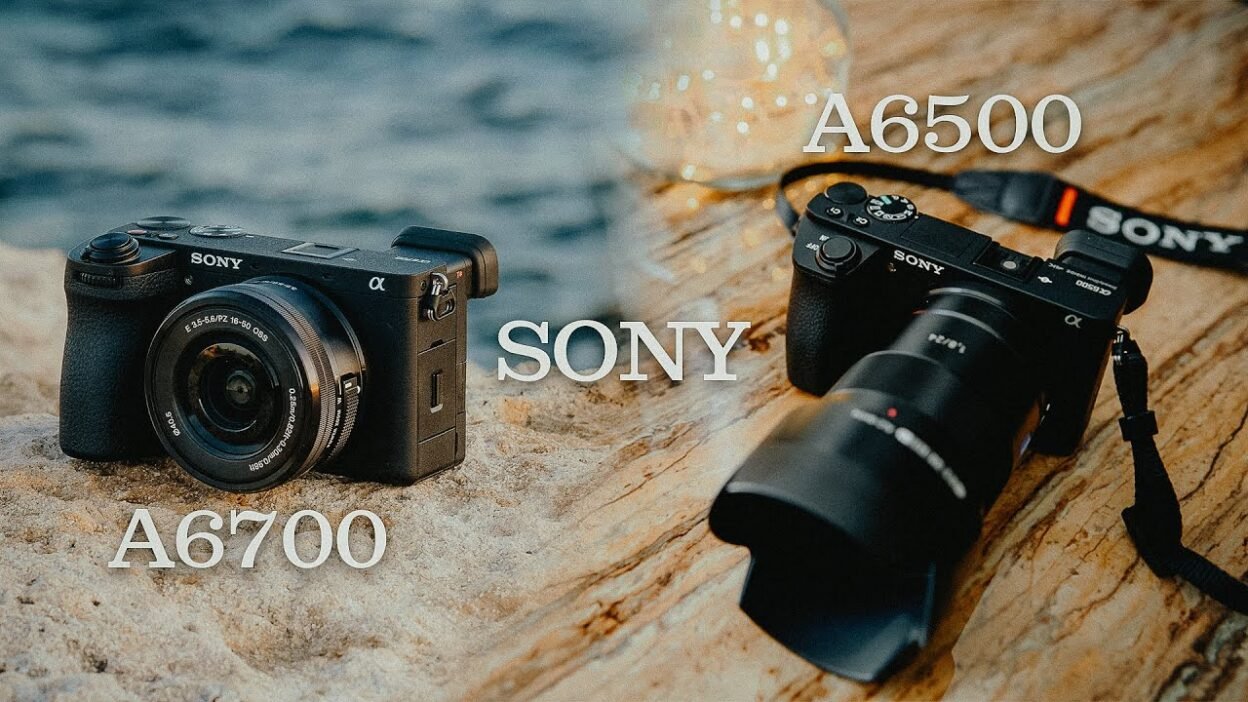
Choosing between the Sony A6500 and Sony A6700 can be difficult, especially if you already own an older Sony camera and are considering an upgrade.
Both cameras use APS-C sensors and Sony’s E-mount system, making them relevant options for photographers, content creators, and filmmakers who want a relatively compact camera. However, they belong to different generations, and their capabilities differ considerably.
The Sony A6500 remains a capable camera for portraits, events, interviews, music videos, and independent filmmaking. It offers 24.2-megapixel photography, 4K video recording, in-body image stabilization, and a compact body that is easy to carry.
The Sony A6700 takes the same general camera concept further with a newer 26-megapixel sensor, more advanced subject recognition, improved video capabilities, 10-bit recording options, and a larger-capacity battery.
But does that make it the right upgrade for everyone?
Not necessarily.
If you mainly take photographs in good lighting, the A6500 may still meet your needs. If you regularly record videos, shoot slow motion, work with challenging autofocus situations, or want more flexibility when colour grading, the A6700 offers important advantages.
In this guide, we will compare the Sony A6500 and A6700 across photography, video quality, autofocus, low-light performance, stabilization, battery life, and overall value.
By the end, you should have a clearer understanding of which camera makes sense for your work and whether upgrading is a worthwhile investment.
1. Sony A6500 vs A6700: Quick Comparison
Before examining the differences in detail, here is an overview of the two cameras.
| Feature | Sony A6500 | Sony A6700 |
| Camera type | Mirrorless APS-C | Mirrorless APS-C |
| Effective resolution | Approximately 24.2 megapixels | Approximately 26 megapixels |
| Sensor generation | Older-generation APS-C sensor | Newer-generation APS-C sensor |
| Lens mount | Sony E-mount | Sony E-mount |
| In-body image stabilization | Yes | Yes |
| Maximum standard 4K recording frame rate | Up to 30p | Up to 60p |
| 4K slow-motion recording | Not available as 4K 100p/120p | Available up to 4K 100p/120p, depending on recording system and settings |
| 10-bit video recording | No internal 10-bit recording | Yes |
| Advanced subject recognition | Older autofocus system | Improved subject recognition and tracking |
| Battery | NP-FW50 | NP-FZ100 |
| Rear display | Tilting LCD | Fully articulating touchscreen |
| Electronic viewfinder | Yes | Yes |
| E-mount lens compatibility | Yes | Yes |
| Best reason to choose it | Lower-cost photography and video | More advanced hybrid shooting and video production |
The specifications above summarize the main differences. Exact recording options depend on the selected video format, frame rate, regional settings, and other camera configurations.
For verification, consult Sony’s official specification pages for the A6500 and A6700.
The most important differences are not the small increase in megapixels. They are the A6700’s newer autofocus capabilities, more flexible video recording, 10-bit colour options, and improved overall usability.
2. Design and Handling: Which Camera Is Better to Use?
A camera can have excellent specifications but still be frustrating if its controls do not suit your workflow.
This is particularly important for photographers and videographers who spend long hours shooting.
Sony A6500 design
The A6500 has a relatively compact body with a tilting rear screen and an electronic viewfinder.
Its size makes it suitable for travel, portraits, everyday photography, and small video productions.
The camera also includes in-body image stabilization, which can help when shooting handheld with compatible lenses.
However, its age becomes more apparent when you compare its interface and screen design with newer cameras.
The rear display does not fully articulate in the same way as the A6700’s screen. This can make certain shooting positions less convenient, particularly when recording yourself or working at unusual angles.
Sony A6700 design
The A6700 introduces a more modern body design and a fully articulating rear screen.
This is particularly useful for videographers who record themselves, work with low camera angles, or need to monitor the composition from different positions.
The newer interface also makes it easier to work with the camera’s expanded shooting features.
For example, a solo content creator may benefit from being able to rotate the screen toward the front while recording.
This does not directly improve image quality, but it can make a practical difference during production.
Which camera handles better?
The answer depends on your preferences.
If you are comfortable with the A6500’s controls, its compact design may be perfectly adequate.
If you record video frequently, the A6700’s articulating screen and updated interface can make your workflow more convenient.
For photographers who mainly shoot through the viewfinder, the screen difference may be less important.
Winner: Sony A6700 for modern video-production convenience.
3. Image Quality: Is the A6700 a Major Upgrade?
Both cameras can produce detailed photographs suitable for portraits, commercial work, events, and online content.
The A6500 has an approximately 24.2-megapixel APS-C sensor, while the A6700 uses an approximately 26-megapixel APS-C sensor.
The difference in resolution is relatively modest.
You should not expect every photograph from the A6700 to look dramatically better simply because it has more megapixels.
Image quality also depends on the lens, focus accuracy, lighting, exposure, and processing.
What does the extra resolution mean?
The A6700’s higher resolution provides a small increase in the amount of captured image detail under suitable conditions.
It may also provide slightly more flexibility when cropping, depending on the image and intended output.
However, the difference between approximately 24 and 26 megapixels is not large enough to justify an upgrade on its own for most photographers.
If you mainly take portraits, the A6500 can still deliver detailed images when paired with a good lens and used correctly.
What about colour and skin tones?
Neither camera automatically produces perfect skin tones.
Skin colour depends on the lighting, white balance, exposure, picture settings, and editing workflow.
If your photographs look too warm, too cool, or excessively saturated, upgrading the camera alone will not necessarily solve the problem.
For portrait photography, improving lighting and learning consistent colour correction may produce a more noticeable improvement than changing from the A6500 to the A6700.
Which camera produces better photographs?
The A6700 is the more advanced camera overall, but the practical difference in still-image resolution is relatively small.
For photographers who already know how to expose and edit their images, the A6500 remains useful.
Winner: Sony A6700 overall, but not by a large margin in resolution alone.
4. Video Recording: One of the Biggest Differences
Video is where the difference between these cameras becomes particularly important.
The Sony A6500 can record 4K video at frame rates up to 30p, depending on the selected recording standard.
That is sufficient for interviews, music videos, short films, product videos, and many online productions.
However, its recording capabilities are more limited than those of the A6700.
What does the Sony A6500 offer?
The A6500 supports 4K recording and several Full HD recording options, including higher frame rates for slow-motion effects.
It also supports Sony Picture Profiles, including Cine gamma options and S-Log2 and S-Log3.
These features make it possible to produce attractive video when you understand exposure, lighting, and post-production.
However, the A6500 records internal video using 8-bit colour rather than the internal 10-bit options available on the A6700.
That difference matters when you want to perform substantial colour adjustments.
What does the Sony A6700 offer?
The A6700 supports more advanced recording options, including 4K 50p and 60p and higher-frame-rate 4K recording up to 100p or 120p in supported modes.
It also offers internal 10-bit recording options, with supported formats and frame rates varying according to the selected recording system.
These features provide greater flexibility for filmmakers who need detailed colour grading, slow motion, or a more advanced production workflow.
For example, imagine filming a fashion video.
You might record the main shots at 25p and capture selected movement at a higher frame rate for slow-motion playback.
The A6700 gives you more options for combining these types of shots within a single production.
The exact frame rates available depend on the recording mode and settings, so check the official specifications before planning a project.
Does the A6700 automatically produce more cinematic footage?
No.
A higher recording specification does not automatically improve composition, lighting, camera movement, or storytelling.
A well-lit and carefully edited video from the A6500 can look more professional than a poorly executed video from the A6700.
However, the newer camera provides additional recording flexibility that can help you achieve certain results more easily.
Winner: Sony A6700 by a substantial margin for video versatility.
5. 8-Bit vs. 10-Bit: Why It Matters for Colour Grading
If you regularly edit video, the difference between 8-bit and 10-bit recording deserves particular attention.
The two terms describe the number of possible digital values available for representing each colour channel.
An 8-bit channel provides 256 possible values, while a 10-bit channel provides 1,024.
This gives 10-bit recording more tonal precision per channel.
In practice, the advantages depend on the footage, codec, colour processing, and grading workflow.
What happens when you grade 8-bit footage?
The A6500 can produce attractive footage, but its 8-bit internal recording provides less colour precision than the A6700’s 10-bit recording options.
If you make aggressive adjustments to colour, exposure, or saturation, limitations in the original recording may become more noticeable.
For example, a strong colour grade may reveal banding in smooth gradients or make certain colour transitions look less natural.
This does not mean every 8-bit recording will show these problems.
A properly exposed image with a restrained grade can still look excellent.
Why can 10-bit help?
The A6700’s 10-bit recording options provide more room for substantial colour adjustments before quantization limitations become visible.
This can be useful when you need to match multiple shots, correct difficult lighting, or apply a more stylized grade.
It is particularly relevant to filmmakers who want to establish a consistent colour treatment across a commercial project.
However, 10-bit recording does not eliminate noise or compensate for poor exposure.
You still need to record the image correctly.
Which camera is better for Premiere Pro and DaVinci Resolve?
Both cameras can be used with these editing applications.
However, the A6700’s 10-bit recording options can be advantageous when your workflow involves more demanding colour correction.
If you mainly make simple edits, adjust exposure, and apply modest colour changes, the A6500 may still be sufficient.
Winner: Sony A6700 for demanding colour-grading workflows.
6. Autofocus: A Major Reason to Upgrade
Autofocus is one of the most important differences between the A6500 and A6700.
The A6500 already offers useful autofocus capabilities, including continuous autofocus and eye-detection features for supported shooting situations.
It can perform well for portraits, posed photography, and many types of video.
However, the A6700 benefits from a newer autofocus system and more advanced subject recognition.
What makes the A6700’s autofocus different?
The A6700 uses a more advanced subject-recognition system designed to identify and track subjects more intelligently.
Depending on the selected mode, it can recognize people and other supported subject types.
This can help when recording subjects who move unpredictably or when you need to maintain focus while operating the camera yourself.
Example: Recording a fashion video
Imagine filming a model walking toward the camera.
With continuous autofocus, the camera attempts to maintain focus as the subject moves.
The A6700’s newer subject-recognition capabilities can make this process more dependable in appropriate conditions.
This may reduce the amount of footage lost because the subject moves out of focus.
The difference can be especially useful when recording solo, because you may not have another person available to monitor focus.
Example: Portrait photography
For still photography, both cameras can be useful.
The A6500’s eye-detection capabilities can help you achieve sharp portraits when used correctly.
The A6700’s newer recognition and tracking features offer additional flexibility, particularly when photographing people in motion.
Is the autofocus difference worth the upgrade?
It can be.
If you regularly photograph or film moving subjects, improved autofocus may save time and increase the proportion of usable shots.
If your work mainly involves stationary subjects and carefully controlled compositions, the difference may be less significant.
Winner: Sony A6700.
7. Low-Light Performance: Will the A6700 Solve Your Noise Problems?
Low-light performance is an important consideration when choosing a camera for music videos, events, interviews, and indoor photography.
However, it is also an area where expectations need to be realistic.
A newer camera does not automatically produce perfectly clean footage in a dark room.
How does the A6500 perform in low light?
The A6500 can produce useful images in moderate lighting, particularly when paired with a lens that has a wide maximum aperture.
However, noise can become more noticeable when recording in very dark conditions or when lifting underexposed footage during editing.
This is particularly relevant when working with S-Log3.
If you record a dark image and substantially increase its brightness during grading, noise may become more visible.
Does the A6700 perform better?
The A6700 benefits from a newer sensor and image-processing system, but the final result still depends on the recording conditions.
You should not expect the upgrade alone to eliminate noise in very dark scenes.
A faster lens, improved lighting, and better exposure can make a substantial difference.
For example, if you are filming a music video in a dark room, adding a suitable LED light may improve the footage more than simply changing camera bodies.
What about S-Log3?
The A6700 offers a more advanced video-recording workflow, including 10-bit recording options.
However, 10-bit recording does not itself make a camera more sensitive to light or eliminate sensor noise.
You should still expose S-Log3 carefully and avoid unnecessarily dark recordings.
If you frequently shoot in low light, test both cameras under comparable conditions before assuming that one will provide the exact result you want.
Which camera should you choose for low light?
The A6700 is the more advanced option overall, but it should not be treated as a complete solution to low-light problems.
If you frequently work in dark environments, consider your lens, lighting equipment, recording profile, and exposure technique alongside the camera body.
Winner: Sony A6700 overall, but the improvement you experience will depend on your shooting conditions.
8. Image Stabilization: Is There a Difference?
Both cameras feature in-body image stabilization.
This is useful because it can help reduce the effects of small camera movements when shooting handheld.
However, stabilization does not eliminate every kind of movement.
It is also important to distinguish between stabilization for still photography and the demands of moving-camera video.
Sony A6500 stabilization
The A6500 includes in-body image stabilization that can be useful for handheld photography and video.
It can help when recording static scenes or making small adjustments to framing.
However, walking while filming can still produce visible vertical movement and bouncing.
Sony A6700 stabilization
The A6700 also includes in-body stabilization and provides additional video-oriented stabilization options.
Its Active stabilization mode can help reduce certain types of camera movement, although it involves a crop and does not eliminate all motion.
This can be useful for handheld filming when a gimbal is unavailable.
However, Active stabilization is not a complete substitute for a gimbal.
Walking shots, fast movements, and certain camera angles may still benefit from dedicated stabilization equipment.
Which camera is better for handheld video?
The A6700 offers more advanced stabilization options for video, but your technique remains important.
If you regularly record handheld footage, its additional stabilization features can be useful.
If you use a gimbal for most of your work, the difference may be less important.
Winner: Sony A6700 for stabilization features and video flexibility.
9. Battery Life: Which Camera Lasts Longer?
Battery life can make a noticeable difference during events, interviews, and commercial shoots.
The Sony A6500 uses the NP-FW50 battery, while the A6700 uses the larger-capacity NP-FZ100 battery.
This is an important practical difference.
Why does the battery matter?
If you are recording a long interview, changing locations during a fashion shoot, or filming a music video, frequent battery changes can interrupt your workflow.
A camera with longer battery endurance can make production more convenient.
However, actual battery life varies depending on how you use the camera.
Continuous recording, screen brightness, autofocus activity, wireless functions, temperature, and recording settings can all influence power consumption.
Which camera lasts longer?
The A6700 generally offers a more favourable battery-life experience because it uses the NP-FZ100 battery.
Nevertheless, your actual results will depend on the recording conditions.
If you choose the A6700 for professional work, carry spare batteries and plan for the length of your shoot.
For the A6500, keeping several charged batteries available is especially useful for long production days.
Is the battery difference worth upgrading for?
Battery life alone may not justify replacing an otherwise suitable camera.
However, when combined with improved autofocus, video recording, and other features, it becomes another practical advantage of the A6700.
Winner: Sony A6700.
10. Can You Use Your Existing Lenses on the A6700?
One advantage of staying within Sony’s E-mount APS-C system is lens compatibility.
If you already own compatible E-mount lenses for your A6500, you can generally use them on the A6700.
This means you do not necessarily need to replace your entire lens collection when upgrading.
However, you should confirm compatibility for individual lenses and any specific autofocus, stabilization, or electronic features you rely on.
What about a 35mm lens?
A 35mm lens can be useful for portraits, interviews, fashion videos, and general filmmaking.
On an APS-C camera, its field of view is narrower than it would be on a full-frame camera.
The approximate full-frame equivalent field of view is around 52.5mm, using the commonly cited 1.5× crop factor.
This can be useful for portraits and close-up video work, although the amount of space available may make it less convenient for wide shots in small rooms.
Should you upgrade your lens before your camera?
Sometimes.
If your current camera meets your needs but you struggle with low light or want more flexibility in framing, a suitable lens may provide a more noticeable improvement than changing camera bodies.
A lens with a wider maximum aperture can allow more light to reach the sensor.
A zoom lens may also help if you frequently switch between wide shots and close-ups.
Before purchasing a new camera, identify the limitations you actually encounter in your work.
This will help you determine whether a new body, a better lens, improved lighting, or another accessory is the most useful investment.
11. Which Camera Is Better for Music Videos and Fashion Films?
For filmmakers, the decision often comes down to recording flexibility, autofocus, stabilization, and how much time you want to spend grading.
Sony A6500 for music videos
The A6500 remains suitable for many music-video productions.
You can use it to record 4K footage, create carefully composed shots, and work with Cine gamma profiles or S-Log3.
It can be a good choice when your lighting and camera movements are planned carefully.
For example, a controlled studio music video with a fixed backdrop and deliberate subject movement may not require the A6700’s most advanced recording features.
Sony A6700 for music videos
The A6700 offers more recording options and more advanced autofocus.
Its 10-bit recording capabilities can be useful for colour grading, while higher-frame-rate 4K modes provide additional slow-motion possibilities.
These features can be valuable when you want to produce a variety of shots within one project.
For example, you could combine normal-speed performance shots with selected slow-motion details of movement, clothing, or props.
What about fashion films?
Fashion filmmaking often involves a mixture of close-ups, medium shots, full-body compositions, and movement.
The A6700’s autofocus and recording flexibility can help you capture these shots efficiently.
However, lighting, composition, styling, and camera movement remain essential.
If your A6500 already produces footage that meets your clients’ requirements, upgrading may not immediately improve the creative quality of your work.
The decision should depend on the specific limitations you want to overcome.
12. Sony A6500 vs A6700 for Photography
The A6700 is a more modern hybrid camera, but the A6500 can still be useful for many photography assignments.
Portrait photography
Both cameras can produce detailed portraits.
Lighting, lens selection, focus accuracy, and editing have a major influence on the final result.
The A6700’s newer autofocus features can be useful when photographing moving subjects, but a skilled photographer can still produce excellent portraits with the A6500.
Event photography
For events, autofocus performance, battery life, and reliability are important.
The A6700’s newer subject recognition and larger-capacity battery can make it attractive for photographers who need to work quickly.
However, the right choice also depends on the type of event, the lighting conditions, and the lenses available.
Product photography
If your work mainly involves products, food, or objects in controlled lighting, the A6500 may be sufficient.
In these situations, accurate focus, good lighting, and careful composition may matter more than the newer camera’s additional video capabilities.
Which camera is better for photographers?
The A6700 is the more advanced option, especially for photographers who frequently photograph moving subjects.
However, the A6500 remains a capable camera for controlled portrait and product work.
If photography is your main activity, consider whether the A6700’s autofocus improvements solve a problem you regularly encounter.
13. Price and Value: Is the A6700 Worth the Extra Money?
The A6700 is newer and offers more advanced capabilities, so it generally commands a higher price than the A6500.
However, the actual difference depends on the market, camera condition, included accessories, warranty, and whether you are buying new or used.
Prices can change frequently, so check current listings from reputable sellers before making a decision.
When the A6500 offers better value
The A6500 may be the more sensible purchase if:
- Your budget is limited.
- You mainly shoot photographs.
- You record conventional 4K video at up to 30p.
- You do not need internal 10-bit recording.
- You are satisfied with the autofocus performance.
- You would rather invest in lighting, lenses, or audio equipment.
A lower-cost camera can be an effective tool if it meets the requirements of your work.
When the A6700 offers better value
The A6700 may justify its higher cost if:
- You regularly shoot video for clients.
- You want internal 10-bit recording options.
- You need 4K 50p or 60p.
- You want more advanced autofocus and subject recognition.
- You frequently record slow-motion footage.
- You want a larger-capacity battery.
- You plan to keep the camera for several years.
The value of an upgrade depends on whether these features help you produce better work, reduce missed shots, or work more efficiently.
Should you buy a used A6700?
A used A6700 can be worth considering if it is substantially cheaper than a comparable new unit.
However, do not make your decision based on price alone.
Before purchasing, check:
- Sensor condition.
- Screen and electronic viewfinder.
- Autofocus performance.
- Recording functions.
- Memory-card slot.
- USB and HDMI ports.
- Battery condition.
- Buttons and dials.
- Evidence of impact or liquid damage.
- Included accessories.
- Seller reputation and any available return protection.
If possible, test the camera in person before making payment.
A used camera in poor condition can become more expensive than a properly maintained unit purchased from a reputable seller.
14. Sony A6500 vs A6700: Final Verdict
The Sony A6500 and A6700 are both capable APS-C mirrorless cameras, but they serve different needs.
The A6500 remains a reasonable option for photographers and filmmakers who need a compact camera with 4K recording, in-body stabilization, and useful picture-profile options.
The A6700 offers a more modern experience, with improved subject recognition, more advanced video recording, internal 10-bit options, a fully articulating display, and a larger-capacity battery.
For people who regularly shoot video, these advantages can make the A6700 a worthwhile upgrade.
For photographers who mainly shoot controlled portraits or products, the difference may be less significant.
Choose the Sony A6500 if:
- You already own one and it meets your requirements.
- You have a limited budget.
- You mainly shoot portraits, products, or other controlled subjects.
- You do not need internal 10-bit video.
- You prefer to invest in lenses, lighting, or other equipment.
Choose the Sony A6700 if:
- You need more advanced autofocus.
- You regularly shoot music videos, fashion films, or commercial content.
- You want 10-bit video recording options.
- You need higher-frame-rate 4K recording.
- You want improved battery endurance and a more modern interface.
- You need a camera that supports a more advanced hybrid workflow.
Overall winner: Sony A6700.
The A6700 is the stronger choice for most people who need a modern camera for both photography and video. Its advantages are especially meaningful for filmmakers who want greater control over recording formats, autofocus, and colour grading.
However, the A6500 should not be dismissed simply because it is older.
If it already produces footage and photographs that satisfy your clients, you may achieve a better return by improving your lighting, lens selection, shooting technique, or editing workflow.
The smartest upgrade is not necessarily the newest camera. It is the equipment that solves the limitations you encounter most often.